

 Author:
Mimsy Angeles
When bookings drop, move your STR virtual assistant’s hours from guest messaging and turnovers to work that fills the calendar and prepares for next season:
Prioritize work that needs empty nights, needs uninterrupted time, or costs more to do at peak. Keep pricing decisions with the owner. Delegate’s free Slow Season Playbook lays out 13 plays with what the assistant does, what you decide, and when each one is done. Delegate places dedicated STR assistants month to month, starting at $13 an hour.
What will you wish was done by next June?
Ask most hosts in July and the list comes fast. The listing descriptions still written for summer. The bed frame three guests complained about. The guidebook with a restaurant that closed last year. The pricing nobody had time to review.
Slow season is when that list gets done, if someone’s assigned to it. Your assistant’s hours are already paid for. The question is where they go.
Want the full plan? Skip to the playbook: 13 plays, a weekly brief template, and a checklist, free through the link below.
Not every task deserves the quiet weeks. The ones that do pass at least one of these tests:
1. Does it need empty nights? Deep cleans, repairs, upgrades, and seasonal photos need a property with no guest in it. At peak, those nights don’t exist.
2. Does it need uninterrupted hours? Reading a full season of reviews or rewriting a guidebook takes focus. At peak, guest messages interrupt every hour of an assistant’s shift.
3. Will it cost more at peak? Restocking during the rush, booking vendors when they’re fully booked, and training a new hire in your busiest weeks all cost more in money, time, or guest experience.
Here’s how common tasks score:
Task |
Needs empty nights |
Needs uninterrupted time |
Costs more at peak |
|---|---|---|---|
Deep cleans and repairs
|
✅
|
❌
|
✅
|
Reading last season's reviews
|
❌
|
✅
|
❌
|
Guidebook and SOP rewrites
|
❌
|
✅
|
❌
|
Restocking supplies
|
❌
|
❌
|
✅
|
Seasonal listing rewrites
|
❌
|
✅
|
✅
|
Training a new assistant
|
❌
|
✅
|
✅
|
Answering guest messages
|
❌
|
❌
|
❌
|
Guest messages fail all three tests. They still come first every day, but they shouldn’t fill the week.
When bookings drop, the first expense most hosts look at is the assistant. It fails the third test badly.
Cut the role in October, and you’ll be hiring and training someone in April, right when inquiries pick up. The new hire learns your properties, your guests, and your vendors during the weeks you can least afford mistakes. Meanwhile, the work above falls back to you. Doing everything yourself costs more than it looks.
Keeping a trained assistant through the quiet months is usually cheaper than replacing one before the busy ones. The real question is what to give them.
Every play in the playbook follows the same format. Here’s one of the 13.
Pricing software sets a number. It doesn’t notice that one listing has a two-night gap every week, or that a monthly discount would fill a stretch no weekend guest will book. Dynamic pricing alone often misses these openings. For the strategy behind the options, see how to fill dates without lowering your rate.
The playbook ranks every play by how fast it pays off, across three tiers.

Seasonal listing rewrites, pricing options, outreach to past direct guests, longer-stay leads, and keeping listings visible. Related reads: building a direct booking channel, handing off lead generation, and an eight-step social media plan.

Review analysis, deferred maintenance and deep cleans, guidebook and SOP updates, restocking, and back-office cleanup. Related reads: why the first 24 hours decide most bad reviews, fixing cleaner problems, overhauling guidebooks before the seasonal shift, and cleaning up your CRM and books.

Turning last season’s problems into fixes, refreshing message templates, and planning for growth. Related reads: crisis SOPs your assistant can run, guest message templates, and five essential STR SOP templates.
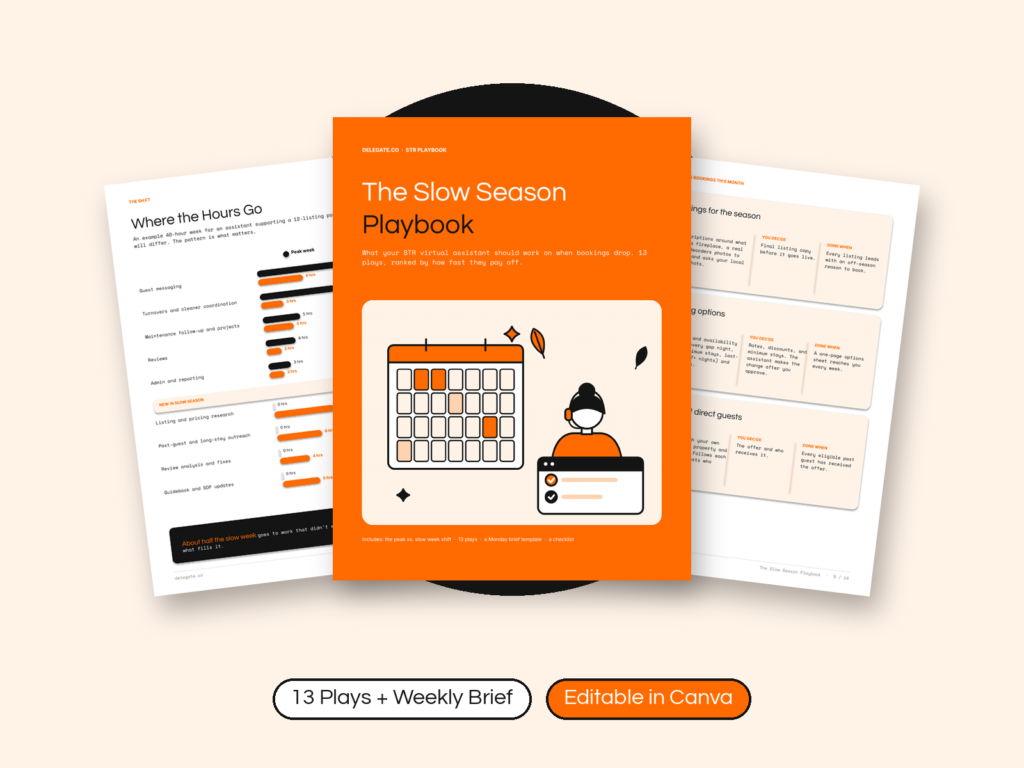
All 13 plays, each split into what your assistant does, what you decide, and when it’s done. It also includes:
14 pages, free through the link below. Open it, save a copy, and share it straight with your assistant.
It’s the second week of October. Four of your twelve listings have nothing booked for the next ten days.
Without a plan, your assistant clears the morning’s guest messages by ten. They ask if there’s anything else. You say you’ll think about it. By Friday, they’ve answered messages, confirmed two turnovers, and waited. The listings still describe summer.
With a plan, Monday starts with a three-line brief:
1. Rewrite the four quiet listings around fall stays. Drafts by Wednesday.
2. List every gap night in November with pricing options. I’ll decide Friday.
3. Tag last summer’s reviews for those four properties and get quotes for anything mentioned twice.
By Friday, you have four listing drafts, a pricing decision to make, and two repair quotes. The guest messages got answered the same as before.
The playbook includes the brief template, plus a full example.
For more on keeping the calendar full, see how to prevent the August vacancy drop, the 12-week path from empty to fully booked, and how to run short-term rentals in 2026. If you’re still deciding what an assistant can own year-round, start with these ten STR admin tasks.
Shift their hours from guest messaging and turnovers to work that fills the calendar and prepares for next season: listing rewrites, pricing research, past-guest outreach, review analysis, deferred maintenance, guidebook and SOP updates, and restocking.
Prioritize work that needs empty nights, needs uninterrupted time, or costs more to do at peak. Deep cleans, review analysis, guidebook rewrites, and restocking all qualify.
You can, but you’ll likely need to hire and train someone again right before your busy season. Most slow seasons have enough work to keep a trained assistant productive.
They can research rates, find gap nights, and recommend changes. Keep the final call on rates, discounts, and minimum stays with you.
Yes. It’s a 14-page guide with 13 plays, a weekly brief template, and a checklist, free to open through the link in this article.
The playbook tells you what to assign. Delegate gives you someone to assign it to.
Delegate places dedicated STR assistants who keep guest messaging covered and take on the slow-season work you never get to. Candidates are vetted through paid work simulations, and you choose from up to 5 within 7 to 14 days. Engagements are month to month with 30-day notice, and a replacement is free for as long as you’re a client. Pricing starts at $13 an hour, and larger portfolios can get a discounted per-property rate. See full STR pricing and vetting details.
Get the playbook, then book a strategy call with your calendar for the next 90 days. We’ll show you which plays an assistant can take on first.