

 Author:
Vincent Mijares
Author:
Vincent Mijares
Most virtual assistant placements that fail don’t fail because of talent. They fail because the first month had no structure. This plan breaks the first 30 days into five stages: preparation before day one, orientation, guided execution, building independence, and a structured review. Five templates are included below, ready to copy and fill in.
Founders hire an assistant to get time back, then find the first two weeks take more of their time than before: logins handed over one at a time, instructions given once on a call, a task list with no context. A few weeks in, deadlines slip, and the work gets pulled back in because doing it yourself feels faster.
The assistant usually isn’t the problem. Missing structure is. The principles behind good onboarding matter, but this piece is the practical part: what to do on which days, with the templates to do it.
Onboarding succeeds or fails before the start date. Budget two to three hours for this stage.
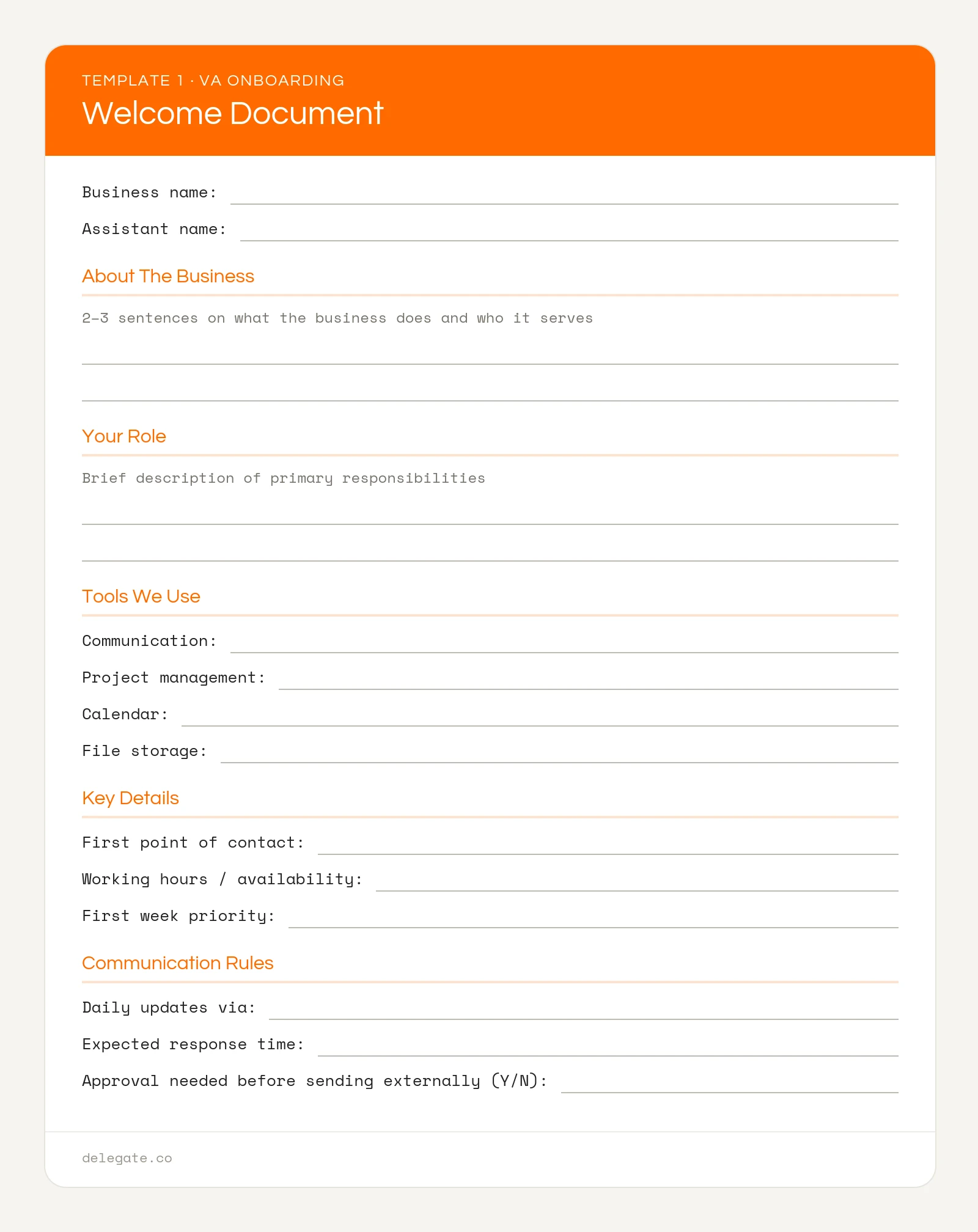
Template 1: Welcome Document
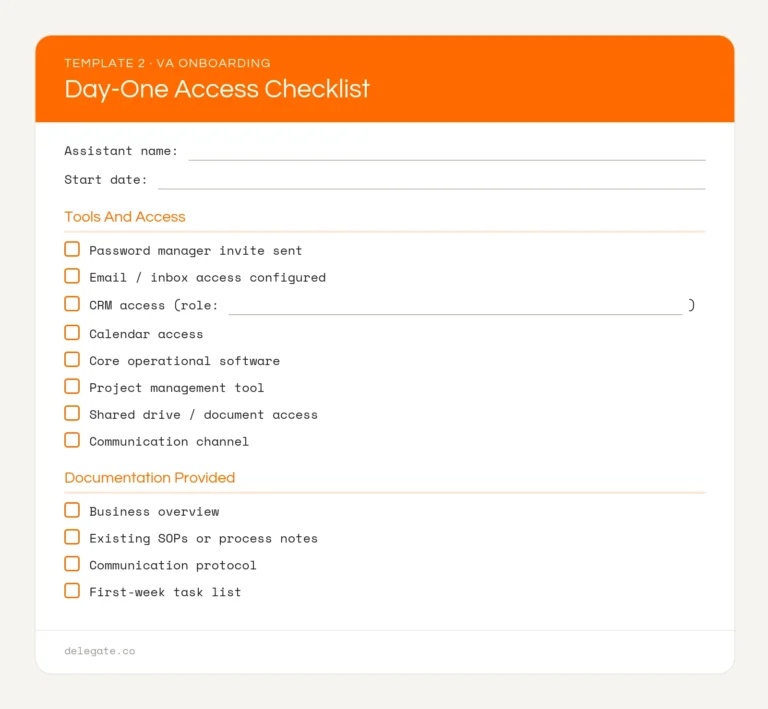
Template 2: Day-One Access Checklist
The goal of the first week isn’t output. It’s context: tools, communication rhythm, and one low-stakes task done well.
Day 1: Hold a 30- to 60-minute orientation call covering the business, the team, the first three tasks, and how you communicate. Send a written summary right after. Don’t rely on anyone remembering a verbal briefing.
Days 2–3: Assign the first real task. Keep it low stakes with a clear output, such as organizing a folder, updating CRM records, or drafting a routine reply. Review it on day 3 with specific written feedback, not just “looks good.”
Days 4–5: Confirm a short end-of-day update is happening: what got done, what’s blocked, what’s next. An assistant who sends this without being asked is showing one of the strongest early signs of a good fit.
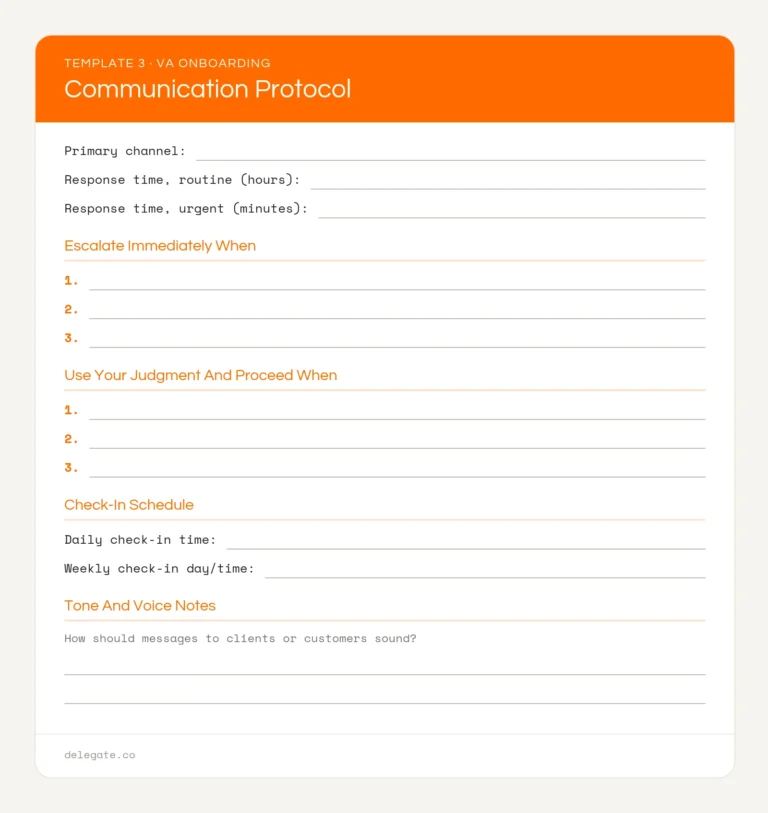
Template 3: Communication Protocol
This is where the assistant moves from watching to doing, with fast feedback.
By day 14, the assistant should be handling at least two recurring processes with little prompting.
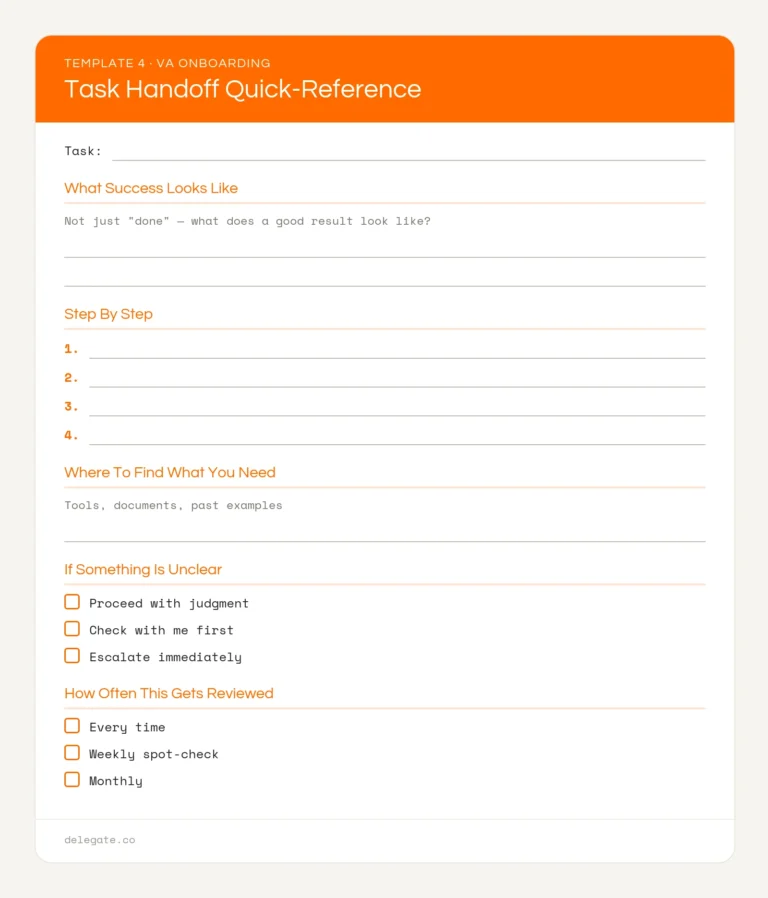
Template 4: Task Handoff Quick-Reference
Ownership shifts further to the assistant.
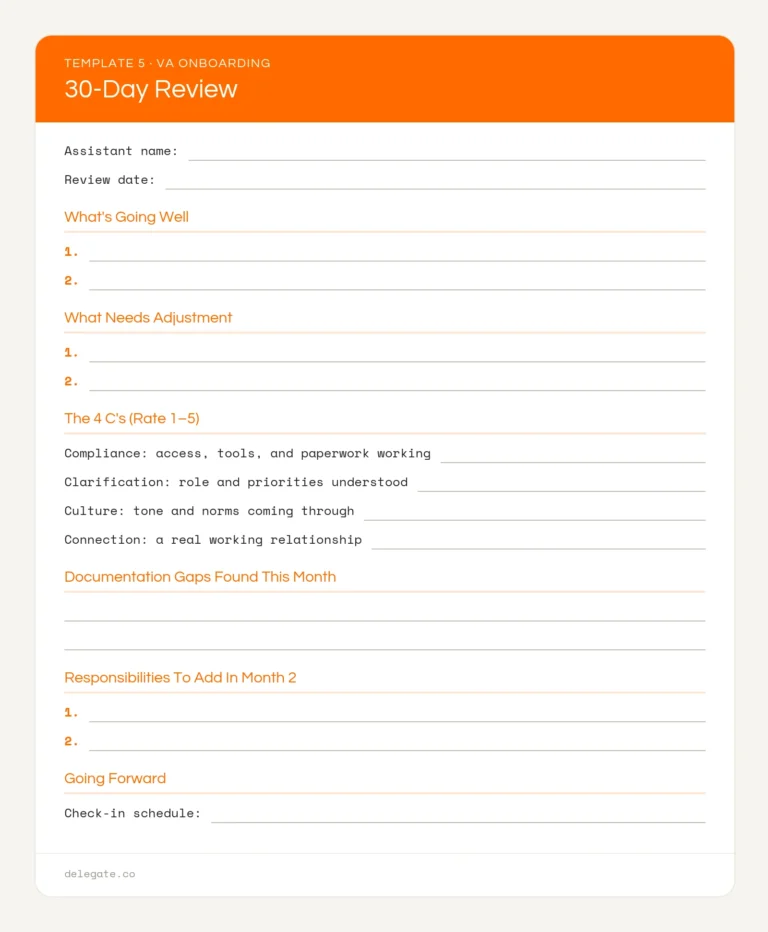
By now you have enough real information to run an honest review instead of a gut-check conversation.
Dr. Talya Bauer’s onboarding framework, developed for SHRM, gives the review a useful structure. It’s often called the 4 C’s:
Template 5: 30-Day Review
If you’re bringing on several assistants, don’t start them on the same day. Onboarding two or three people at once splits your attention exactly when each one needs the most of it.
The structure doesn’t disappear after the first month. It loosens. Weekly check-ins become every other week, handoffs get lighter, and the SOP library keeps growing as new situations come up. For the 60- and 90-day stages, Day One Impact: The 30-60-90 Day Onboarding Blueprint picks up where this plan ends.
Plan for a structured 30 days to reach independent work on recurring tasks. Most of your time goes into the first two weeks, then drops sharply once documentation is in place.
An orientation call covering the business, team, first tasks, and how you communicate, followed by a written summary. Real work starts on days 2 and 3 with one low-stakes task.
Roughly two to three hours of preparation before day one, then more hands-on time in the first two weeks that drops as SOPs and check-in routines take over.
At minimum: a welcome document, an access checklist, a communication protocol, and written process notes for the first recurring tasks. All four templates are included above.
By day 30, the assistant should be handling at least two recurring processes with little prompting, flagging problems before you ask, and maintaining their own SOPs. The 30-day review template gives you a structured way to check.
It depends on the provider. Ask directly what onboarding support is included before you sign. Some providers hand over a candidate and step back; others stay involved through the first month and beyond.
Everything above works whether you hire through an agency or on your own. But if you’d rather not build it from scratch, Delegate does much of it with you. Every placement includes an SOP consultation, so your first task documentation exists before the assistant’s first day. After a meet-and-greet, your client success manager checks in weekly through the first month, then every other week, then monthly, or on whatever schedule suits you.
The assistants themselves arrive vetted through paid work simulations, not resume screens, starting at $13/hour on month-to-month terms. If the fit isn’t right, replacement is free for as long as you’re a client. Book a strategy call and we’ll walk you through what your first 30 days would look like.